Router IP
192.168.0.254 Login Guide
Not working? Check the label on the back or bottom of your router.
192.168.0.254 is a private address that some routers, ISP gateways and many access points use for their admin page. To log in, connect to the device by WiFi or cable, type http://192.168.0.254 into your browser and use the username and password printed on the device's label. Unlike 192.168.1.1, no single brand owns this address. It turns up on certain models from several makers and on devices that an installer configured by hand, so the label and your own gateway reading matter more here than any list of defaults.
This page shows how to confirm what is really at 192.168.0.254 and how to get in.

Default usernames and passwords
| Brand / model | Username | Password |
|---|---|---|
| Routers, gateways and access points on 192.168.0.254 | On the device label | On the device label |
How to log in
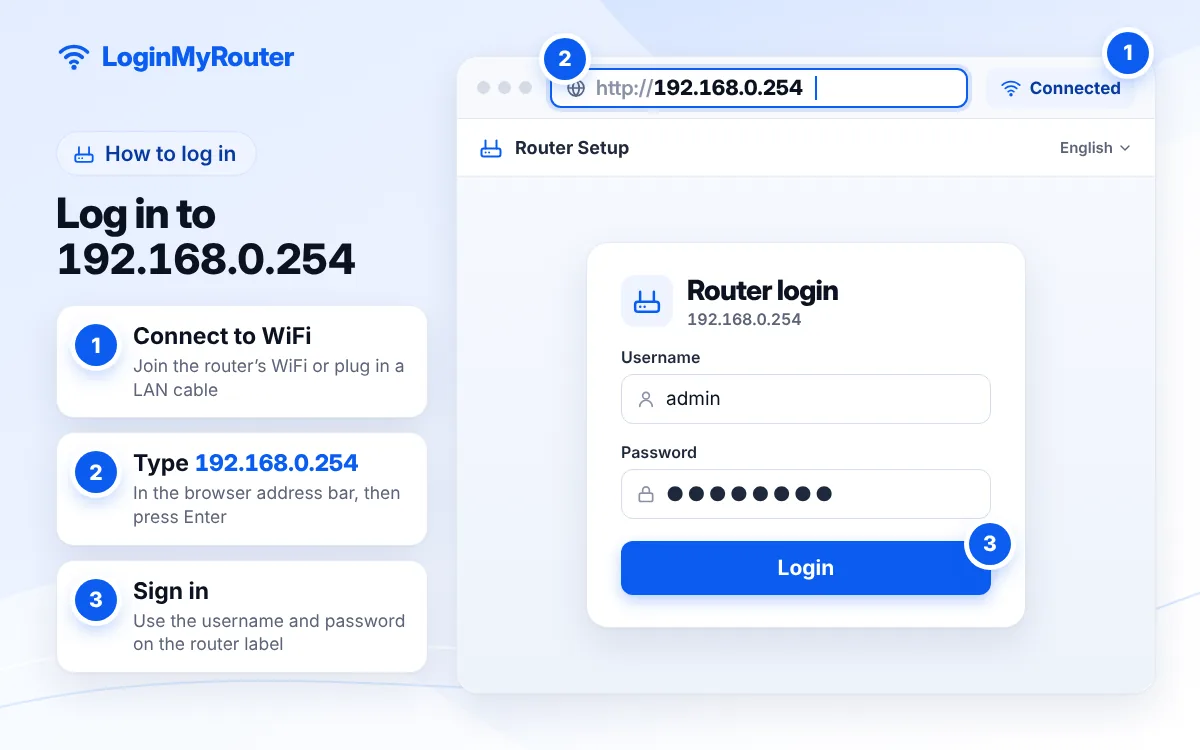
- Connect to the device's WiFi, or plug a cable from your computer into one of its LAN ports.
- Check your gateway address (see below). If it shows 192.168.0.254, that device is your router.
- Type http://192.168.0.254 in the browser address bar and press Enter.
- Enter the username and password from the label on the back or bottom of the device.
- If you are asked to create a new admin password, choose one you have not used anywhere else.
- Make your changes and click Save or Apply before closing the page.
Change the default admin password as soon as you're in.
What sits at 192.168.0.254?
Home networks normally use a block of 254 usable addresses, from .1 to .254. Most manufacturers put the router at the bottom of the block (192.168.0.1), but some prefer the top, and network installers like to park extra equipment there so it never collides with the addresses handed out to phones and laptops. As a result, 192.168.0.254 can be:
- the main router or ISP gateway, on models whose maker chose the top address;
- a WiFi access point or range extender that came with this address set at the factory (older TP-Link access points are a well-known example);
- a device someone configured with a fixed address at the end of the range.
A sister address, 192.168.1.254, follows the same idea one range over and is common on ISP gateways.
Where you will see it
Searches for this address are relatively frequent in Oman, Vietnam and Saudi Arabia, mostly from people managing an ISP-supplied gateway or a second WiFi device. The address is not tied to one provider there, so look at the device label or use the Router Finder to see what your ISP normally uses.
Confirm your gateway first
If your gateway is something else, 192.168.0.254 is either a secondary device or not on your network at all.
| System | Steps |
|---|---|
| Windows | ipconfig in Command Prompt > Default Gateway. Run arp -a to list other devices the PC has seen. |
| Android | WiFi settings > tap your network > details > Gateway. |
| iPhone | Settings > Wi-Fi > (i) > Router. |
| Mac | System Settings > Network > Wi-Fi > Details > TCP/IP > Router. |
Reaching an access point on 192.168.0.254
A fresh access point often does not hand out addresses itself, so your laptop may not get a matching IP when you plug it in. The usual fix is a temporary manual address:
- Connect your computer to the access point with a cable.
- In your network adapter settings, set IPv4 manually: address
192.168.0.100, subnet mask255.255.255.0. Leave the gateway blank. - Open http://192.168.0.254 and log in with the label details.
- Configure the access point, ideally giving it an address that fits your main network.
- Switch your adapter back to Obtain an IP address automatically.
Unsure which addresses fit together? The Subnet Calculator shows the usable range for any network.
Troubleshooting a failed login
- Timeout: you are on a different range (for example 192.168.1.x). Check the gateway or use the manual address method above.
- Wrong password: the label credentials only work until someone changes them. A factory reset with the pin-hole button restores them.
- Page opens but looks broken: try another browser or a private window; old admin pages dislike some extensions.
- Two devices fight over .254: an address conflict causes random drop-outs. Give one of them a different fixed address.
Change the WiFi name and password
Menus differ by maker, but the path is almost always Wireless (or WLAN / WiFi) > Basic for the network name and Wireless Security for the password. Pick WPA2-PSK or WPA3, use 12 or more characters, save, then reconnect your devices. If this device is an access point, matching the main router's name and password lets phones roam between them.
Security tips
- Change the default admin password on every device, including access points people forget about.
- Update firmware; access points often run years-old software.
- Turn off remote management unless you need it.
- Keep an inventory of fixed addresses so nobody reuses .254 by accident.
Typed it wrong?
Variants like 192.168.o.254, 192.168.0.245 or 192.168.0254 will not work. The IP Typo Fixer repairs them in one click.
192.168.o.254 → 192.168.0.254 192.168.0.245 → 192.168.0.254 192.168.0254 → 192.168.0.254 192.168.0.25 → 192.168.0.254 192.168.00.254 → 192.168.0.254
Used by
- Some ISP gateways and access points · OM
 Some ISP gateways and access points · Vietnam
 Some ISP gateways and access points · Saudi Arabia
Frequently asked questions
What is the default password for 192.168.0.254?
It depends on the device. Use the username and password on its label; we do not list a generic pair because makers using this address differ.
Is 192.168.0.254 my router or another device?
Check your default gateway. If it is 192.168.0.254, that is your router. If the gateway is 192.168.0.1, then .254 is probably an access point or extender.
Why does 192.168.0.254 not load on my phone?
Your phone may be on another range or using mobile data. Turn off mobile data and confirm the gateway address.
Can I use 192.168.0.254 for my own access point?
Yes, if nothing else uses it and it sits in the same range as your router. Many people reserve high addresses for network gear.
What is the difference between 192.168.0.254 and 192.168.1.254?
They belong to different ranges. A device on 192.168.0.x cannot reach 192.168.1.254 without routing, and vice versa.