 भारत · Provider
Airtel Router Login: Xstream Fiber Admin Guide
- Login URL
http://192.168.1.1- Default username
- admin
- Default password
- Printed on the back label of the router (older Airtel DSL routers used password)
Airtel router login works the same way on most Xstream Fiber connections: join your Airtel WiFi, open http://192.168.1.1 in a browser and sign in with the username admin and the password printed on the back of the router. Airtel's own guides confirm 192.168.1.1 as the default address and point you to the label for the login details. If you only need a new WiFi password, the Airtel app (formerly Airtel Thanks) is faster than the admin page.
This guide covers both methods, the menu names you will see, connected devices, resets and when to call Airtel instead of fiddling with settings.
How to log in
- Connect your phone or laptop to the Airtel WiFi or plug a cable into a LAN port. Turn off mobile data.
- Type http://192.168.1.1 in the browser address bar and press Enter.
- Enter the username admin and the password from the label on the back or bottom of the router.
- If the label shows a different address or username, use what the label says; Xstream Fiber routers come from several manufacturers.
- After the first login, go to Maintenance > Password (or the administration page on newer models) and set your own admin password.
Not working? Check the label on the back or bottom of your router.
How to change the WiFi password
- Open the Airtel app and sign in with your registered mobile number.
- Go to the Wi-Fi section and select your Xstream Fiber connection.
- Tap Manage Wi-Fi Settings.
- Edit the Wi-Fi password (and the Wi-Fi name if you like), then save.
- Reconnect your devices using the new password.
Change the default admin password as soon as you're in.
Airtel router login: what you need before you start
Keep three things handy: a device connected to the Airtel network, the router label, and five quiet minutes. The label normally lists the WiFi name, the WiFi key and the admin login. Airtel installs fibre routers from different brands, so the screens are not identical, but the address is almost always 192.168.1.1. Our 192.168.1.1 guide explains the address itself and what to do when the page will not load.
If 192.168.1.1 gives an error, check your gateway: on Windows run ipconfig and read Default Gateway; on Android or iPhone open the WiFi network details and look for Gateway or Router.
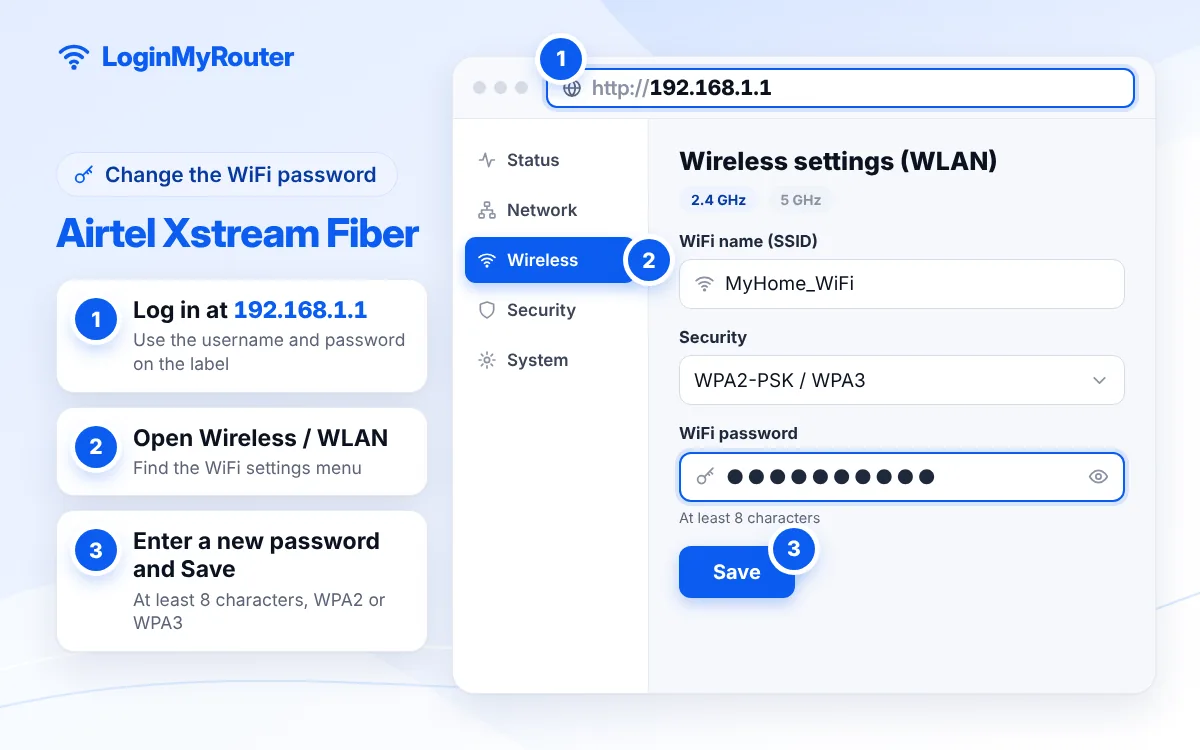
Change the Airtel WiFi password from 192.168.1.1
On classic Airtel routers the menus are labelled the way Airtel describes in its own help articles:
- Open Setup > WLAN > Basic to change the network name (SSID), then click Apply Changes.
- Open Setup > WLAN > Security, replace the Pre-Shared Key with your new password and click Apply Changes.
Newer Xstream Fiber routers may group these under WLAN, Wireless or Network > Wi-Fi. Look for the field called key, passphrase or password, and remember dual-band routers have separate 2.4 GHz and 5 GHz entries.
Find devices connected to your Airtel WiFi
Most Airtel routers show a client list on the status or home page of the admin panel, often named Device Info, LAN Status or DHCP clients. Each entry shows a device name and MAC address. Phones with random MAC addresses can look unfamiliar, so compare the list while switching your own devices off one at a time. If a stranger is on your network, changing the WiFi password is the quickest fix.
Restart or reset your Airtel router
For slow speeds or a frozen connection, a restart is enough: power off for 30 seconds, then on. A factory reset is a last resort. Hold the reset pin-hole for 10 to 15 seconds while the router is on, then wait for the lights to settle. The WiFi name, password and admin login return to the label values, and a fibre router may need Airtel's settings again before the internet works. If the internet light stays red after a reset, raise a request with Airtel rather than changing the WAN settings yourself.
Contact Airtel support
Use the help section in the Airtel app or the official airtel.in website for faults, relocation, router replacement or a forgotten admin password set by a technician. Have your Xstream Fiber account number or registered mobile number ready.
Security checklist
- Replace the default admin password right after your first Airtel router login.
- Choose WPA2-Personal or WPA2/WPA3 mixed mode, never Open or WEP.
- Use a WiFi password of 12 or more characters and do not share it on WhatsApp groups.
- Turn on the guest network, if your model has one, for visitors.
- Install firmware updates when the router or Airtel offers them.
Got a search page after typing 192.168.l.l or 192.168.1.1.1? Our IP Typo Fixer corrects it in one click. Other Indian providers are listed on the India router hub.
Frequently asked questions
What is the Airtel router login IP?
192.168.1.1 on most Airtel routers. If it does not open, check the gateway address in your WiFi details or on the router label.
What is the default username and password for an Airtel router?
The username is admin. The password is printed on the back of the router. Older Airtel DSL routers used password as the default, but Xstream Fiber routers usually carry their own on the label.
How do I change my Airtel WiFi password without a computer?
Use the Airtel app: Wi-Fi section, select your connection, Manage Wi-Fi Settings, edit the password and save.
Why does 192.168.1.1 say the password is wrong?
The installer may have changed it, or you are typing the WiFi key instead of the admin password. Check the label again; if it still fails, a reset or Airtel support is the only way back in.
Will changing the WiFi password affect my Airtel Xstream box?
Yes, any device on WiFi, including a set-top box or smart TV, has to be reconnected with the new password. Boxes on a LAN cable are not affected.
Can I use my own router with Airtel Xstream Fiber?
You can connect your own router behind the Airtel router using a LAN cable. Replacing the Airtel router completely needs Airtel's fibre settings, so ask support first.