 Pakistan · Provider
Zong 4G Device Login and Password Change
- Login URL
http://192.168.8.1- Default username
- admin
- Default password
- admin (Zong's default for its MBB devices)
Zong 4G device login and password change both start at http://192.168.8.1. Zong's own help page for its mobile broadband (MBB) devices gives that address for the device portal and confirms the default username and password are both admin. Once you're in, you can change the WiFi password, rename the network, check your balance and usage, activate bundles and read SMS sent to the device's number.
Keep in mind there are two passwords on a Zong device: the WiFi key that phones use to connect, and the admin password for the portal. This guide covers both.
How to log in
- Switch on the Zong device and wait until it shows a 4G signal.
- Connect your phone or laptop to the device's WiFi (the name and key are on the device sticker, often under the back cover), or plug USB-type devices into your laptop.
- The portal often pops up by itself. If it doesn't, type http://192.168.8.1 in the browser.
- Tap Log In and enter admin as both username and password (unless you changed it earlier).
- The home page opens, showing signal, balance, usage and your MBB number.
Not working? Check the label on the back or bottom of your router.
How to change the WiFi password
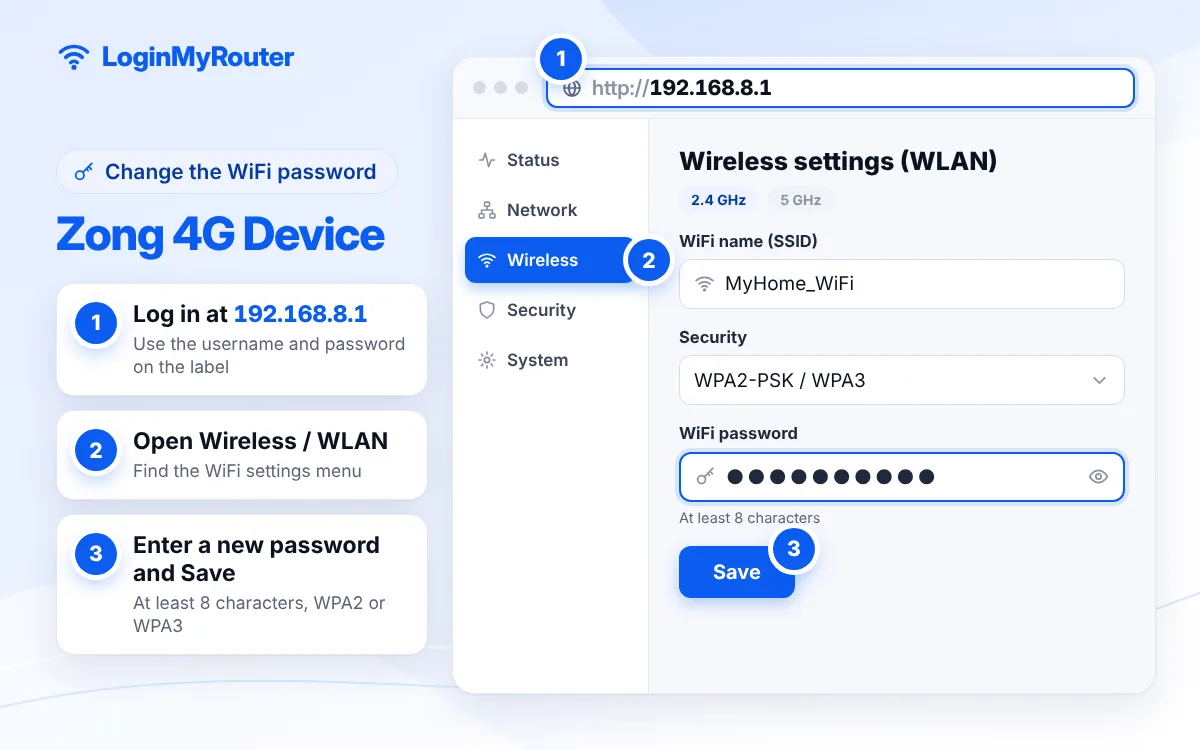
- Log in at http://192.168.8.1.
- On the home page, use the WiFi settings link near the bottom middle of the page. On many Huawei-made devices the same page is under Settings > WLAN > WLAN Basic Settings.
- Change the WiFi name (SSID) if you want.
- Keep security on WPA2-PSK and type a new WiFi key of at least 8 characters.
- Tap Apply or Save. The device disconnects everyone; reconnect with the new key.
Change the default admin password as soon as you're in.
Zong 4G device password change: WiFi key vs admin password
The WiFi key is what you type on a phone to join the network; change it with the steps above. The admin password protects the 192.168.8.1 portal itself. Zong's guide places it under Settings > Device Settings. Change it from admin to something private, because anyone connected to your device could otherwise log in and change your WiFi key.
Zong is clear about one thing: if you forget an admin password you changed, the device has to be hard reset to get back to the defaults.
After Zong 4G device login: what the portal does
According to Zong, the portal lets you check balance and usage, see the MBB number, activate bundles, send and read SMS, change WiFi settings and check for software updates. That makes it handy when your package seems to have run out or a bundle SMS arrives on the device. Our 192.168.8.1 guide explains the address itself and the other devices that use it.
See who is connected
The portal shows how many devices are connected, and most models have a device list under a menu named Devices, Connected Users or Device Management. If the count is higher than the phones in your house, change the WiFi key; everyone else is dropped instantly.
How to reset a Zong 4G device
Pocket devices usually hide the reset button under the back cover; plug-in home units have a pinhole. Press and hold it until the lights go off and the device restarts, then wait a couple of minutes. The WiFi name, WiFi key and admin password return to the defaults on the sticker. Your SIM, MBB number and remaining bundle are not affected by a reset.
Getting help from Zong
For package, SIM or signal problems, use the official My Zong app, the complaint form linked from zong.com.pk, or visit a Zong service centre. Zong also suggests a service centre visit if a software update fails. More guides for Pakistani providers are on our Pakistan hub.
Security and signal tips
- Change both the WiFi key and the admin password on day one.
- Keep the device near a window and away from the microwave for a steadier 4G signal.
- Accept official software updates from the portal; they fix bugs and security holes.
Frequently asked questions
What is the Zong 4G device login IP?
http://192.168.8.1. Zong's help page for MBB devices gives this address for the device portal.
What is the default Zong device username and password?
Both are admin, according to Zong. If you changed the password and forgot it, you'll need a hard reset.
How do I change my Zong device WiFi password on mobile?
Join the device's WiFi, open http://192.168.8.1 in Chrome, log in with admin/admin, open the WiFi settings link on the home page, enter a new key and save.
192.168.8.1 is not opening. What should I check?
Make sure your phone is connected to the Zong device's WiFi, switch off mobile data on the phone, and type the address with http:// in the address bar. Wait until the device has finished starting up.
Will a reset delete my Zong bundle?
No. A reset only restores the device's own settings, such as the WiFi name, key and admin password. Your SIM balance and bundles stay on Zong's side.
Can I change the WiFi password from the My Zong app?
Zong documents the WiFi change through the 192.168.8.1 device portal, so use that. The app is for account and package tasks.